Use this checklist to pick a CPU that actually fits your motherboard, cooler, and workload: validate cores/threads for your apps, confirm the exact CPU generation and socket support, size TDP against your cooling and PSU headroom, and sanity-check performance using the right benchmarks. It answers practical "ซื้อ CPU รุ่นไหนดี" decisions without guessing.
Quick Compatibility Snapshot
- Match socket + chipset first; CPU performance is irrelevant if the board can't boot it.
- Use cores/threads for multi-tasking and creator apps; prioritize single-core speed for high-FPS gaming.
- Confirm CPU generation and BIOS support before purchase (especially for older boards).
- Size TDP + turbo power to your cooler and motherboard VRM, not marketing labels.
- Pick the platform for upgrade path (future CPU options) and memory standard (DDR4/DDR5).
| What you're optimizing | CPU traits to prioritize | Compatibility checks that matter | One-line recommendation |
|---|---|---|---|
| High-FPS gaming (1080p/competitive) | High single-core performance (IPC), strong boost clocks, adequate cache | BIOS support, RAM speed support, cooler clearance | แนะนำ CPU สำหรับเล่นเกม: buy the fastest single-core you can afford after confirming board support. |
| Video editing / rendering | More cores/threads, sustained all-core clocks, stable thermals | VRM quality, cooler capacity, PSU headroom | CPU สำหรับทำงานตัดต่อวิดีโอ รุ่นไหนดี: choose higher core/thread counts that can hold boost under load. |
| Streaming + gaming | Extra threads for encoder + game, strong single-core | Thermals and power limits, RAM capacity | Favor balanced CPUs: strong single-core plus enough threads to avoid encoder stutter. |
| Home server / VMs | Core count, efficiency, platform I/O (PCIe lanes), stability | ECC support needs (if any), chipset I/O, long-term platform availability | Prioritize platform I/O and efficiency; raw peak clocks matter less than stability. |
| Budget everyday PC | Good value, integrated graphics (if no GPU), low power | Display outputs on motherboard, memory compatibility | Buy a value CPU that matches your board and avoids needing extra cooling upgrades. |
Understanding Cores, Threads and Parallelism
Cores are physical processing units; threads are logical lanes (often via SMT/Hyper-Threading) that help when workloads run in parallel. This matters most when your apps can split work across many threads (rendering, encoding, compiling).
- Good fit: video editing, 3D rendering, heavy multitasking, running multiple VMs.
- Don't overpay when: your main goal is high-FPS gaming and your GPU is the limiting factor; extra cores beyond what your games use won't scale linearly.
If you're asking "ซื้อ CPU รุ่นไหนดี", decide first whether your daily bottleneck is single-thread speed (snappy UI, high-FPS) or throughput (exports, batch tasks).
Interpreting CPU Generations and Platform Lifespan
Before comparing models (including "เปรียบเทียบ CPU Intel vs AMD รุ่นไหนดี"), gather these requirements so you don't buy an incompatible CPU:
- Your motherboard model (exact model name) and current BIOS/UEFI version.
- Socket and chipset (from the board's spec page/manual).
- Memory type (DDR4 vs DDR5) and your current kit's speed/capacity.
- Case and cooler constraints: cooler height, radiator support, mounting bracket compatibility.
- Power info: PSU wattage/quality, available CPU power connectors (EPS 8-pin, etc.).
- Access: manufacturer CPU support list (QVL/compatibility page) and BIOS release notes.
Generation matters because BIOS support and power behavior can change; platform lifespan matters because it determines realistic upgrade options without replacing the motherboard.
TDP, Cooling and Power Delivery Considerations
-
Identify your real constraints (cooler, case airflow, PSU)
Write down your cooler model and case airflow situation (front intake, exhaust). A CPU that "fits" electrically can still throttle if the cooler can't handle sustained heat.
- If you reuse a cooler, confirm mounting hardware for the target socket.
- If airflow is limited, prioritize efficiency and lower sustained power.
-
Check motherboard VRM capability (power delivery)
Look up whether your board is known to handle higher-power CPUs without overheating VRMs. Weak VRMs can reduce boost or cause instability under all-core loads.
- Prefer boards with decent heatsinks and a track record with the CPU tier you want.
- If unsure, choose a CPU class one step down or plan a board upgrade.
-
Translate "TDP" into cooling reality
TDP is not a universal "max watts." Many CPUs can draw substantially more under boost settings. Plan cooling for sustained workloads (render/export), not short bursts.
-
Plan your power limits and fan curve (safe, reversible)
After installation, set a sensible power limit or eco mode if thermals are high. This is safer than aggressive overclocking and often keeps most performance.
- Set fan curves to avoid constant ramping while keeping load temps stable.
- Avoid voltage increases unless you know your cooling and stability margins.
-
Verify stability with a controlled stress test
Run a short CPU load test and watch temperatures and clocks. If clocks drop sharply, you're hitting thermal or power limits; fix cooling/limits before chasing benchmark scores.
Fast mode: 4-step purchase algorithm
- Lock the platform: confirm socket + chipset + BIOS support list for the exact CPU model.
- Pick the workload target: gaming = stronger single-core; creator = more cores/threads.
- Validate thermals: cooler compatibility + case airflow + VRM suitability for the CPU tier.
- Cross-check value using current local listings for ราคา CPU ล่าสุด and buy the best-performing option that stays within your platform limits.
Matching CPUs to Workloads: Gaming, Content Creation, and Servers
- For gaming-first builds, you're prioritizing single-core performance and stable boost under typical game loads (not all-core stress).
- For editing/rendering, you're prioritizing all-core throughput and sustained clocks without throttling.
- For streaming, you need "enough threads" so the encoder doesn't fight the game for CPU time.
- For servers/VMs, check I/O needs (storage, network cards) and platform stability features.
Result check: your CPU choice is "compatible and sensible" if...
- The CPU appears on the motherboard's official CPU support list for your BIOS (or a known update path exists).
- Your cooler supports the socket and physically fits the case.
- Under sustained load, the CPU does not throttle heavily due to temperature or VRM limits.
- Your RAM type matches the platform (DDR4/DDR5), and capacity fits your workload.
- Your PSU has the required CPU power connectors and reasonable headroom for GPU + CPU load.
- For gaming, GPU utilization is high in your target games (CPU is not the constant limiter).
- For creators, export/render times improve in the apps you actually use (not just synthetic tests).
- You're not paying for features you won't use (extra cores for gaming-only, iGPU if you always run a discrete GPU, etc.).
Benchmarking Metrics That Matter: IPC, Clock Speed and Scaling
- Comparing only boost clock numbers: IPC and cache can matter more than headline GHz.
- Using the wrong benchmark: a gaming CPU test won't predict render/export performance and vice versa.
- Ignoring power limits: two identical CPUs can perform differently depending on board defaults and cooling.
- Assuming more cores always win: many apps have diminishing returns after a certain thread count.
- Overweighting synthetic scores: use app-relevant tests (your editor, your games) whenever possible.
- Not controlling memory settings: mismatched DDR generation or unstable XMP/EXPO can distort results.
- Comparing across platforms without platform costs: "เปรียบเทียบ CPU Intel vs AMD รุ่นไหนดี" should include motherboard and RAM impacts, not CPU price alone.
- Testing at the wrong resolution/settings: GPU-bottlenecked scenarios hide CPU differences in games.
Budgeting, Upgrade Paths and Motherboard Compatibility
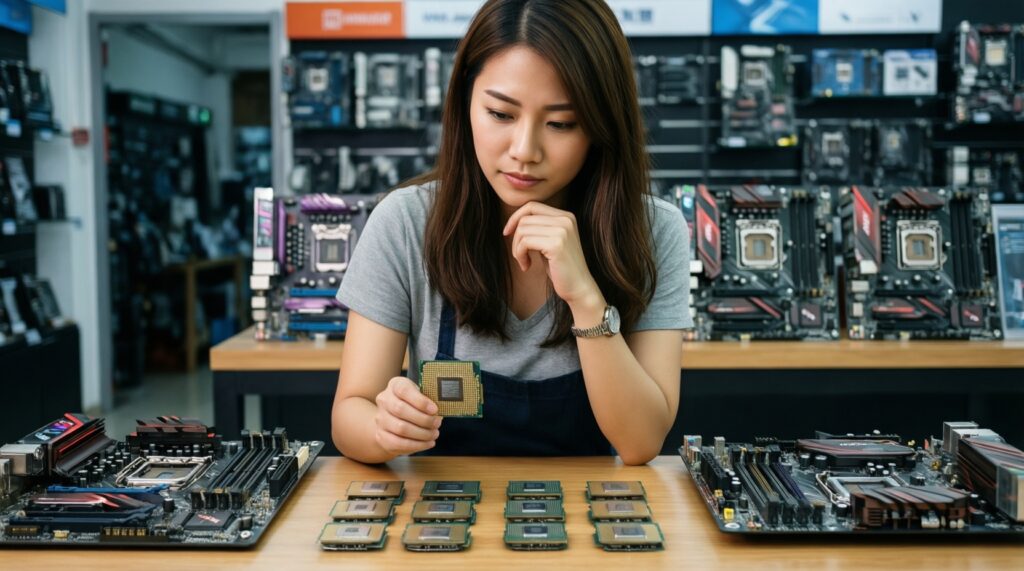
When you're deciding "ซื้อ CPU รุ่นไหนดี", the cheapest CPU is rarely the cheapest platform. Use these alternatives depending on your constraints:
-
Drop one tier of CPU, keep the motherboard
Best when your current board VRM/cooling is modest. You often get near the same gaming feel while avoiding throttling and extra cooling spend.
-
Upgrade the platform for a longer runway
Best when you plan future CPU upgrades or need DDR5/extra I/O. This is usually the cleanest answer to upgrade-path limitations.
-
Buy used last-gen CPU for value builds
Best when local listings show a strong deal and BIOS support is confirmed. Validate warranty expectations and inspect for damage.
-
Prioritize GPU first for gaming-focused budgets
Best when your current CPU is "good enough" and your games are GPU-limited. Allocate budget based on what actually bottlenecks your FPS.
Price check tip: use multiple Thai retailers/marketplaces to triangulate ราคา CPU ล่าสุด, then decide based on total platform cost (CPU + board + RAM + cooler), not CPU alone.
Buyer Questions on Compatibility and Performance
How do I know a CPU will work on my current motherboard?
Match socket and confirm the exact model on the motherboard CPU support list for your BIOS version. If a BIOS update is required, plan how you will update safely before swapping CPUs.
Do I need more cores or higher clock for gaming?
Most gaming benefits come from strong single-core performance and stable boost behavior. Extra cores help mainly for streaming, background tasks, and newer titles that scale better.
What's the practical meaning of TDP when choosing a cooler?
TDP is not a universal max power number across brands and generations. Pick cooling based on sustained load behavior and be ready to set sensible power limits if temperatures climb.
Is "เปรียบเทียบ CPU Intel vs AMD รุ่นไหนดี" mainly about FPS?
No-include motherboard, RAM type (DDR4/DDR5), power behavior, and upgrade path. In many cases, platform cost and compatibility matter more than small FPS deltas.
What should I prioritize for "CPU สำหรับทำงานตัดต่อวิดีโอ รุ่นไหนดี"?
Prioritize more cores/threads and sustained all-core performance, then ensure cooling and VRM can keep clocks high without throttling. Verify gains in your actual editor/export settings.
How should I interpret "ราคา CPU ล่าสุด" when prices change weekly?
Compare total platform cost and check whether discounts force you into a pricier board or DDR5 when you don't need it. Buy when the full build meets your performance target and compatibility checklist.
Is overclocking recommended for intermediate users?
Prefer undervolting or power-limit tuning first because it's safer and reversible. Overclock only if you can validate stability and thermals without pushing voltage aggressively.