For most setups in Thailand, the "best value" comes from matching the risk: use a UPS for controlled shutdown and short outages, a surge protector for everyday spike protection, and an SSD M.2 heatsink only when sustained writes or poor airflow raise temperatures. Choose by load, outlet quality, and your workload patterns-not brand hype.
Quick Comparative Snapshot: UPS, Surge Protectors, and SSD Heatsinks
- UPS covers power loss + brownouts (line conditioning depends on topology); it's the only option that buys time to save work.
- Surge protectors reduce spike damage risk but do not keep devices running during outages.
- SSD heatsinks target thermal throttling and long-write stability; they don't protect against electrical events.
- For "ซื้อ UPS ราคา" decisions, size by watts and required shutdown time, not VA alone.
- For "ปลั๊กกันไฟกระชาก ราคา", pay for verified protection features and wiring safety rather than extra sockets.
- For "ฮีตซิงก์ SSD M.2 ราคา", prioritize mechanical fit (clearance) and airflow path over thick metal.
How UPS Units Protect Systems: Types, Runtime, and Sizing
A UPS is an energy buffer plus power-conditioning logic. In Thailand, it's most useful where brief outages, voltage dips, or generator changeovers are common. If you're comparing "ซื้อ UPS ราคา", the right unit is the one that supports your load long enough to shut down cleanly and avoids nuisance beeps or overload trips.
- Real load in watts (W): add PC/monitor/NAS/router peak draw; oversize to avoid constant high load operation.
- UPS topology: standby/offline (basic), line-interactive (better for frequent sags), online/double-conversion (best conditioning; higher heat and cost).
- Output waveform: pure sine is safer for sensitive PSUs, active PFC, and some adapters; simulated sine can be fine for simpler loads.
- Required runtime: target "save + graceful shutdown," not "keep working"; longer runtime usually means larger battery and replacement costs.
- Transfer time tolerance: important for devices that reboot on short dropouts (some routers, modems, small servers).
- Battery replacement availability: check local battery standard sizes, service access, and whether the unit allows user replacement.
- Communication and shutdown: USB/HID support for PCs; SNMP/managed cards for racks and small server rooms.
- Outlet type and grounding: ensure proper earthing and plug format compatibility; a UPS cannot fix missing ground.
- Audible noise and placement: fanless vs fan-cooled models; consider bedroom/home office use.
- Home office persona: prioritize line-interactive + USB shutdown and quiet operation.
- IT admin persona: prioritize managed monitoring, replaceable batteries, and predictable runtime at measured load.
- PC enthusiast persona: prioritize pure sine output and headroom for transient GPU spikes.
Evaluating Surge Protectors: Clamping Voltage, Joules, and Response Time
Surge protectors are sacrificial components (commonly MOV-based) that clamp spikes; their effectiveness depends on clamping behavior, build quality, grounding, and whether protection still works after repeated hits. When comparing "ปลั๊กกันไฟกระชาก ยี่ห้อไหนดี", treat branding as secondary to protection spec clarity, safety marks, and wiring quality.
| Variant | Who it fits | Pros | Cons | When to choose |
|---|---|---|---|---|
| Basic MOV power strip (entry surge) | Small chargers, lamps, low-cost peripherals | Low cost; simple to deploy; often enough for minor spikes | Protection degrades over time; limited indicators; may have weak wiring | When "ปลั๊กกันไฟกระชาก ราคา" is the main constraint and the load is non-critical |
| Surge strip with status indicators + thermal fuse | Home office PC/monitor/router | Clear "protected/grounded" indicators; better fail-safe behavior | Still not backup power; indicators vary by design quality | When you want a practical baseline for daily use without stepping up to a UPS |
| EMI/RFI filtered surge strip | Audio gear, sensitive monitors, noisy power environments | Can reduce conducted noise; sometimes improves stability of flaky adapters | Filtering is not the same as surge capacity; can be overpriced | When you hear/see interference and your wiring/grounding is already correct |
| Coax/Ethernet protected surge strip | Router/ONT + TV/antenna users | Targets surge paths that enter via signal lines | Can add link issues if low quality; not a substitute for proper lightning protection | When your failure history suggests surges come through network/coax routes |
| DIN-rail / distribution-board surge protective device (SPD) | IT admins, small offices, homes with panel access | Whole-circuit approach; can protect multiple outlets downstream | Requires correct installation and earthing; not a plug-and-play purchase | When repeated surge damage happens across many devices and you can address grounding |
| UPS with built-in surge + AVR (line-interactive) | PCs, NAS, critical networking | Surge handling plus short runtime; smooths dips; enables clean shutdown | Higher upfront and battery upkeep; larger footprint | When you're already considering "ซื้อ UPS ราคา" because outages cause data loss or corruption risk |
How to read common surge specs without chasing numbers: prefer clearly stated clamping behavior, a non-misleading "protected" indicator, solid build and cable gauge, and a design that fails safe (disconnects protection rather than overheating). If you keep searching "ปลั๊กกันไฟกระชาก ยี่ห้อไหนดี", narrow choices by safety certifications available in TH channels and by warranty clarity.
SSD Thermal Management: When a Heatsink Improves Reliability and Sustained Throughput
An SSD M.2 heatsink helps when the controller overheats and throttles during sustained transfers, or when the drive sits under a hot GPU with minimal airflow. For "ฮีตซิงก์ SSD M.2 ยี่ห้อไหนดี", fit and airflow matter more than brand: the best heatsink is the one that makes full contact and doesn't block your case's airflow.
- If you do long writes (video editing cache, VM images, large game installs) and see speed drop mid-transfer, then add a heatsink and improve case airflow over the M.2 area.
- If your motherboard already has an M.2 shield/heatsink with a decent thermal pad, then use it first and only upgrade if throttling persists.
- If the SSD sits directly under a GPU backplate and your case is compact, then favor a low-profile heatsink with a quality pad and consider repositioning the SSD to a cooler slot (if available).
- If you mostly read games/apps and do light writes, then a heatsink is optional; spend first on stable power (UPS/surge) and airflow hygiene (dust cleaning).
- If you compare "ฮีตซิงก์ SSD M.2 ราคา" across shops, then check clearance against GPU, chipset heatsinks, and laptop bottom covers before paying for thicker fins.
Performance Trade-offs Under Load: Latency, Power Draw, and Heat Dissipation
- Measure the pain: is the real issue outages (reboots), spikes (dead adapters), or SSD throttling (speed drops under long writes)?
- Classify the load: critical compute/storage and networking go to UPS; non-critical peripherals can use surge strips.
- Budget power headroom: GPU/PSU transients can trip undersized UPS units; avoid running near the limit.
- Control heat: a UPS adds some heat/noise; an SSD heatsink shifts heat to the case air-ensure airflow, not just metal.
- Minimize latency and instability: avoid questionable "filtering" gadgets; prefer a known-good UPS topology for sensitive equipment.
- Plan maintenance: battery replacement schedule for UPS; periodic replacement for worn surge protectors after suspected events.
Cost-to-Benefit Analysis: CAPEX, OPEX, and Failure-Risk Scenarios
- Buying a UPS by VA rating alone and ignoring real watt draw (leads to overload, short runtime, or random shutdowns).
- Expecting a surge protector to handle outages or brownouts (it can't; you need a UPS for continuity).
- Stacking a surge strip into another surge strip (can worsen safety and doesn't meaningfully improve protection).
- Ignoring grounding quality and outlet polarity; surge devices need proper earthing to work as intended.
- Paying extra for "many sockets" instead of build quality (cable gauge, thermal fuse, clear protection status).
- Overbuying online/double-conversion UPS for a simple home PC and then regretting fan noise and heat (OPEX friction).
- Installing an M.2 heatsink with poor pad contact (tilted mount, wrong thickness) and seeing no improvement.
- Choosing a tall heatsink that blocks GPU airflow or doesn't fit under laptop covers (hidden integration cost).
- Forgetting lifecycle costs: UPS batteries are consumables; surge protectors can silently degrade after repeated events.
Persona-Based Recommendations: Home Office, IT Admin, and PC Enthusiast Picks
Best fit for a home office is typically a quiet line-interactive UPS with USB shutdown plus a decent surge strip for peripherals; for an IT admin, prioritize managed UPS features and consider panel-level SPD where grounding is solid; for a PC enthusiast, focus on pure sine UPS headroom for GPU transients and add an SSD heatsink only when sustained-write throttling is observed.
Practical Concerns and Straight Answers
Should I buy a UPS or a surge protector first?
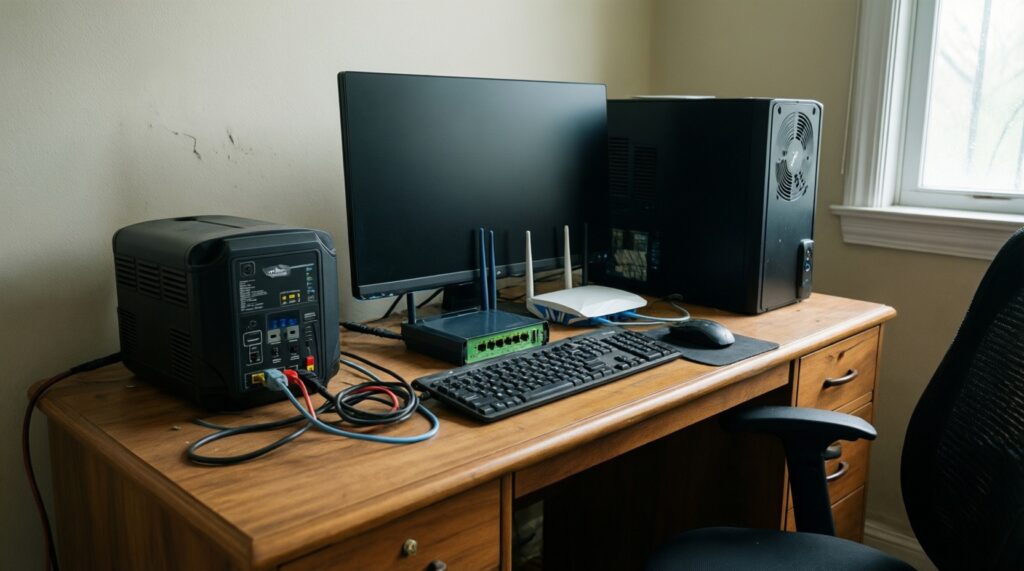
If outages or brownouts reboot your PC/router, buy a UPS first. If you rarely lose power but worry about spikes, a surge protector is the first step.
Does a UPS replace a surge protector?
A UPS usually includes surge protection, but outlet count and cabling may not suit all peripherals. Many setups use a UPS for critical devices and a separate surge strip for non-critical loads.
How do I avoid undersizing when comparing "ซื้อ UPS ราคา"?
Size by measured or well-estimated watt draw and leave headroom for peaks. Also confirm the UPS output waveform and transfer behavior match your PSU and router tolerance.
What matters most when shopping "ปลั๊กกันไฟกระชาก ราคา" in Thailand?
Prioritize safe construction, clear protection/ground indicators, and a fail-safe design. Don't pay extra only for more sockets or vague "noise filtering" claims.
When is "ฮีตซิงก์ SSD M.2 ราคา" worth paying for?
When you see sustained-transfer slowdowns or the drive sits in a hot, low-airflow zone. If your workload is mostly reads and light writes, it's usually optional.
How do I choose "ปลั๊กกันไฟกระชาก ยี่ห้อไหนดี" without overthinking?
Shortlist by safety marks, build quality, and honest spec disclosure, then buy from a channel with clear warranty terms. Avoid suspiciously light, thin-cabled strips.
How do I choose "ฮีตซิงก์ SSD M.2 ยี่ห้อไหนดี" for compatibility?
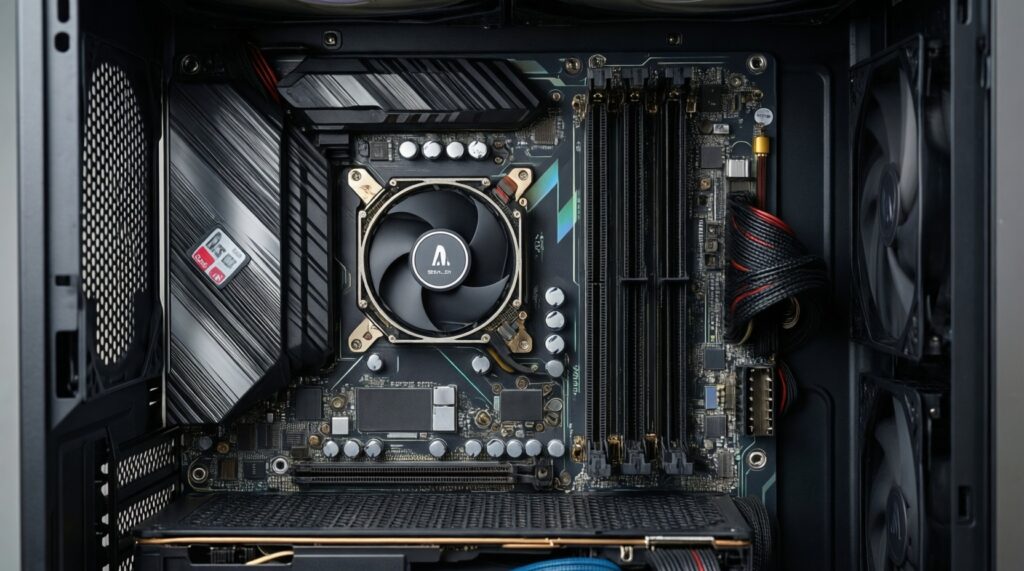
Check clearance against GPU/backplates, motherboard shields, and case panels, then ensure the thermal pad thickness matches the SSD components. Low-profile designs are safer in tight builds.