Choose a PSU by sizing wattage from your real peak load, then add safe headroom and pick an 80 Plus tier that matches your usage and budget. This prevents shutdowns, voltage instability, and premature component wear while also reducing wasted heat and electricity. For most modern builds, aim to run near ~50% load in typical gaming or work.
Quick selection checklist for a reliable PSU
- Estimate peak system draw (CPU + GPU + 12V loads), then add 25-35% headroom for transient spikes and aging.
- Target typical use at 40-60% PSU load for best efficiency, lower fan noise, and cooler internals.
- Prefer single strong 12V rail or clearly documented multi-rail OCP limits; avoid vague specs.
- Require protections: OVP, OCP, OPP, SCP (UVP/OTP are strong bonuses).
- Choose connectors first (GPU 8-pin / 12VHPWR, EPS CPU, SATA count), wattage second.
- Buy from a model line with published electrical test reviews; avoid "same brand, different platform" surprises.
Calculating real power needs: per-component wattage and peak loads
This sizing method fits intermediate builders who know their CPU/GPU class and can check basic specs (TDP/TBP, connector needs). It is especially useful when you're deciding ซื้อ PSU กี่วัตต์ for a new GPU or when random restarts appear under load.
Don't rely on this approach alone if you:
- Run heavy GPU/CPU overclocks, extreme power limits, or high-end HEDT platforms where spikes can be unusually large.
- Use multiple GPUs, many drives, or add-in cards with unclear power behavior.
- Need guaranteed uptime for production-then validate with measurement (see verification section).
Practical sizing rule (risk-aware): build a peak estimate, then add 25-35% headroom. If you expect frequent simultaneous CPU+GPU stress (render + encode + game capture), lean closer to 35%.
Typical builds mapped to wattage and 80 Plus tier
| Build profile (typical use) | GPU class | Recommended PSU wattage | Suggested 80 Plus tier | Notes (risk-aware) |
|---|---|---|---|---|
| Office / light creator | iGPU or low-power GPU | 450-550W | Bronze or Gold | Pick quiet fan curve and full protections; avoid no-name "500W" units. |
| Mainstream gaming | Midrange single GPU | 550-650W | Gold (Bronze acceptable on tight budget) | If you plan upgrades, choose 650W to reduce replacement risk. |
| High-FPS / upper-mid gaming | Upper-mid single GPU | 650-750W | Gold | This is where "แนะนำ PSU Gaming 650W 750W" usually lands; decide by spike risk and future GPU. |
| Enthusiast gaming / creator | High-end single GPU | 750-850W | Gold or Platinum | Prefer ATX 3.x / strong transient handling; keep cables native (no cheap adapters). |
| Workstation-like (many drives/cards) | High-end GPU + add-ins | 850-1000W | Platinum (Gold ok if well-reviewed) | Plan connector count and rail limits; multi-rail OCP must match GPU connectors. |
Understanding 80 Plus tiers: real-world efficiency and heat impact
If you're asking PSU 80 Plus คืออะไร, treat it as an efficiency certification: less wasted power becomes heat inside the PSU, typically lowering fan noise and internal stress. It is not, by itself, a guarantee of build quality, protections, or voltage stability.
To choose correctly, you'll need:
- Your typical usage pattern: long gaming sessions, always-on PC, or occasional use.
- Local electricity cost awareness and your own budget expectations (many buyers compare ราคา PSU 80 Plus Gold against Bronze).
- Access to reliable reviews that include electrical testing (ripple, protections behavior, hold-up, transient response).
- Case airflow constraints: hot cases benefit more from higher efficiency (less PSU heat dumped inside).
About tier differences: when people ask PSU 80 Plus Bronze Gold Platinum ต่างกัน, the practical difference is usually heat/noise and long-session efficiency. For most gaming PCs, Gold is a safe default if priced reasonably; Bronze can be fine if the platform is proven and protections are complete.
Safety and protection circuits: OVP, OCP, OPP, SCP and why they matter
- Risk: PSU failure can damage other parts; avoid unknown platforms and "too-good-to-be-true" wattage.
- Risk: Wrong cables (especially modular) can short hardware; never mix cables across brands/models.
- Limitation: 80 Plus alone does not confirm protections tuning or transient response.
- Limitation: Symptoms like reboots can also be GPU drivers, unstable RAM, or overheating-validate methodically.
-
Confirm the protection set on the exact model. Check the product page and reputable reviews for OVP, OCP, OPP, SCP (UVP/OTP are strong additions).
- OVP helps protect components if voltage rises beyond safe limits.
- OCP limits current per rail/cable group; important for high-power GPUs.
- OPP stops overload; prevents cooking the PSU when spikes hit.
- SCP shuts down on shorts; critical for cable/connector accidents.
-
Validate 12V delivery and connector plan. Modern systems load 12V heavily; ensure the PSU is designed for strong 12V output and has the connectors you need (EPS for CPU, PCIe/12VHPWR for GPU).
- Prefer native GPU cables over splitters; avoid cheap adapters unless the PSU maker explicitly supports them.
- For multi-rail units, verify OCP limits won't trip when the GPU pulls transient spikes.
-
Choose wattage with spike headroom, not just "average draw". Add 25-35% headroom to your peak estimate; heavier spike behavior or future upgrades justify more.
- If you're deciding between 650W and 750W, 750W is the safer pick when GPU class is upper-mid/high-end or you plan upgrades.
-
Pick an efficiency tier that fits heat/noise goals. Aim for typical use around 40-60% load; that's often where efficiency and acoustics are best in real builds.
- Gold is a common "set-and-forget" tier for gaming; Platinum is most compelling for long daily runtime and heat-sensitive cases.
-
Do a safe first-power-on and cable sanity check. Before powering up: confirm CPU EPS is connected (not PCIe), GPU power is fully seated, and modular cables are from the same PSU box.
- Route cables to avoid sharp bends at the GPU connector; ensure firm seating to reduce heating risk.
- If anything smells hot or the PSU clicks repeatedly, power off and re-check cabling and shorts.
Wattage strategy: conservative headroom, efficiency sweet spots, and aging
- Peak estimate calculated and 25-35% headroom added (closer to 35% for upgrade plans or spiky GPUs).
- Typical gaming/workload sits near 40-60% PSU load, not near the limit.
- All required connectors available without questionable splitters/adapters.
- Protection list includes at least OVP, OCP, OPP, SCP (UVP/OTP preferred).
- PSU is a reviewed platform (not only a brand name) with stable 12V performance.
- Cooling plan makes sense: PSU intake not blocked; case airflow adequate for GPU heat.
- Allow for aging: after years of heat exposure, effective headroom shrinks-your sizing already accounts for this.
- Noise expectation aligned: higher efficiency and lower load usually means a calmer fan curve.
Verification workflow: bench tests, software monitoring and symptom diagnosis
- Trusting a single "recommended wattage" number without considering transient spikes and connectors.
- Assuming 80 Plus = quality; efficiency does not guarantee low ripple, good protections, or good hold-up time.
- Mixing modular cables between PSUs-this can cause immediate shorting and hardware damage.
- Chasing instability by buying a bigger PSU first, when the real cause is RAM/CPU undervolt/overheat.
- Using GPU power adapters or splitters that overheat at the connector due to poor contact or tight bends.
- Reading motherboard "PSU wattage calculators" as exact; treat them as rough guidance, then apply headroom.
- Ignoring warning signs: coil whine changes with load, burning smell, repeated shutoffs, or arcing at connectors.
- Testing only with light load; the problem appears at combined CPU+GPU load-use a repeatable stress routine.
Economic assessment: electricity savings, replacement timing and ROI table
Efficiency upgrades pay off most when the PC runs many hours and electricity is costly; otherwise, prioritize protections and a proven platform first. If you're comparing ราคา PSU 80 Plus Gold to Bronze, decide based on runtime, case heat, and noise goals rather than expecting guaranteed large savings.
Options that make sense (including a lower-cost alternative)
- Gold tier, right-sized wattage (recommended default): best balance for most gaming/creator PCs-cooler, quieter, usually solid platforms if you pick reviewed models.
- Bronze tier from a proven platform (lower-cost alternative): acceptable when budget is tight and you still get full protections and good reviews; avoid generic "Bronze sticker" units with weak documentation.
- Platinum tier for long daily runtime: choose when the PC is on for many hours, the case runs hot, or you want minimum PSU heat/noise-ensure the price premium matches your use.
- Replace proactively when symptoms appear: if you see load-related shutdowns, unstable voltages reported by reliable tools, or connector heating, replacement is often cheaper than risking a chain failure.
Practical concerns answered for common PSU dilemmas
ซื้อ PSU กี่วัตต์ if I'm torn between 650W and 750W?
Pick 750W when you have an upper-mid/high-end GPU, plan upgrades, or see rebooting under combined CPU+GPU load; it adds safer spike headroom. Choose 650W for a solid midrange GPU build where connectors and protections are correct.
PSU 80 Plus คืออะไร, and does it guarantee safety?
80 Plus is an efficiency certification, mainly affecting wasted heat and power use. It does not guarantee protections, component quality, or transient behavior-check reviews and protection lists.
PSU 80 Plus Bronze Gold Platinum ต่างกัน in day-to-day use?
Higher tiers usually mean less heat and often lower fan noise at the same load. The practical benefit is largest for long sessions or warm cases; for short use, the difference is mostly acoustics and thermals.
What should "แนะนำ PSU Gaming 650W 750W" include besides wattage?
It should include connector count (EPS/PCIe/12VHPWR), the protection set (OVP/OCP/OPP/SCP), and evidence from electrical testing reviews. Wattage alone doesn't prevent shutdowns or cable overheating.
Is paying more for ราคา PSU 80 Plus Gold always worth it?
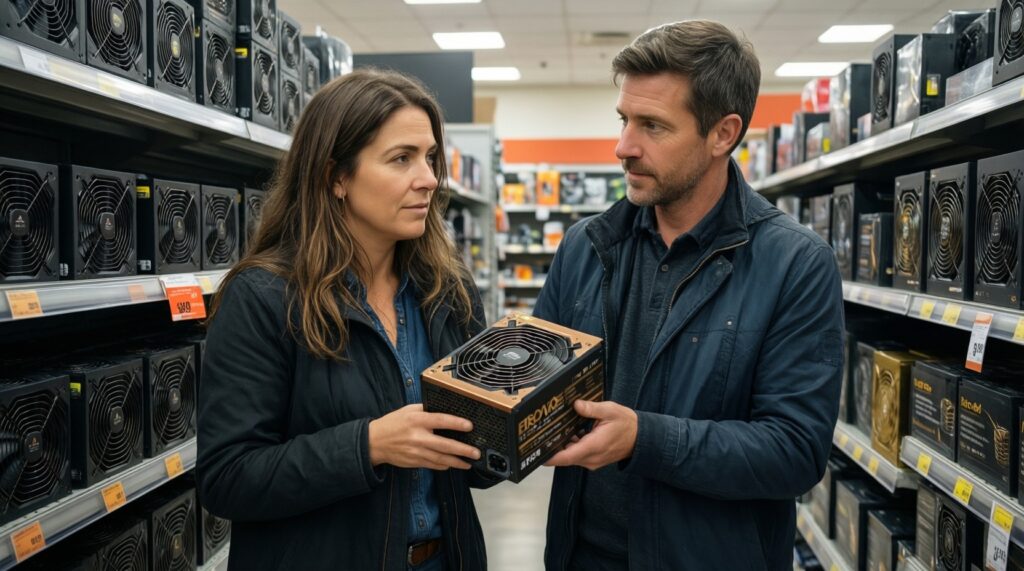
Not always; it depends on runtime, heat/noise goals, and the price gap to Bronze. If the Gold model is significantly better reviewed and has stronger protections, it can be worth it even without big electricity savings.
Can a "bigger watt PSU" reduce crashes even if my old one was enough on paper?
Yes, if the issue is transient spikes, aging, or weak 12V delivery on the old unit. It won't help if the root cause is unstable RAM, overheating, or software/driver faults.