To choose the right CPU for gaming, video editing, programming, or office work in Thailand, match your workload to the right mix of IPC (per-core performance), core/thread count, and platform constraints (motherboard, RAM, power, cooling). Use the table and step-by-step checks below to avoid overpaying, bottlenecks, and upgrade dead-ends.
Quick CPU Selection Checklist
- Pick your primary workload first (gaming, editing, coding, office) and only then select cores/threads and IPC targets.
- Confirm your graphics plan: iGPU-only, or dedicated GPU now/later (this changes CPU value dramatically).
- Choose a platform you can live with for 2-4 years: motherboard chipset, RAM type, and BIOS support matter.
- Set thermal limits upfront (case airflow, cooler height, room temperature) and avoid CPUs you cannot cool quietly.
- Use one benchmark type per workload: gaming FPS (CPU-limited scenes) vs render/export time vs compile time vs app responsiveness.
- Budget for the "supporting cast": motherboard VRM quality, RAM capacity/speed, SSD, and PSU-CPU alone won't fix an unbalanced build.
How CPU Architecture and IPC Affect Real-World Tasks
Architecture and IPC largely determine how fast each core can complete work at a given clock. This is why two CPUs with similar GHz can feel very different in gaming, UI responsiveness, and compilation. High IPC helps most when tasks are bursty, lightly threaded, or sensitive to latency.
- Good fit: high-FPS gaming, esports titles, Adobe/office responsiveness, many coding workflows (IDE + browser + local tooling).
- Less important: long multi-threaded renders/exports where "more threads" often dominates after a baseline IPC level.
- Do not over-optimize IPC when: you are GPU-limited at your target resolution/settings, or your workflow is dominated by multi-threaded encoding/rendering.
Practical note for Thailand: if your room is warm and you prefer quiet cooling, a CPU that sustains performance at lower power can beat a "faster-on-paper" chip that constantly hits thermal limits.
Matching Cores and Threads to Gaming, Editing, Coding, and Office Work
Before shopping, collect these requirements so you can decide quickly without guesswork:
- Your main use case (one primary, one secondary).
- GPU plan (none / iGPU / midrange dGPU / high-end dGPU).
- Software specifics: editor (Premiere/DaVinci), codec (H.264/H.265/ProRes), IDE/toolchain (Android Studio, Docker, local LLM, etc.).
- Monitor target: resolution and refresh rate (CPU limits show up more at higher FPS targets).
- Noise/heat tolerance: small case vs full tower, air vs AIO, typical room temperature.
| Workload | What matters most | Suggested cores/threads (practical) | Sample CPU class (examples, not a shopping list) | Benchmark to look at (and caveat) |
|---|---|---|---|---|
| Gaming (high FPS / competitive) | IPC, sustained boost, low latency, stable power | 6-8 cores / 12-16 threads | Mainstream "gaming" CPUs (e.g., Core i5 / Ryzen 5 class) | Game FPS in CPU-limited scenes; compare 1% lows, not only average FPS (GPU and settings can hide CPU gaps). |
| Gaming + streaming (CPU encoding) | More threads + strong single-core | 8-12 cores / 16-24 threads | Upper-mainstream (e.g., Core i7 / Ryzen 7 class) | FPS while streaming + encoder quality; note that GPU encoding can shift the requirement back down. |
| Video editing (timeline + export) | Threads for export, platform I/O, codec acceleration, RAM | 8-16 cores / 16-32 threads | Upper-mainstream to HEDT-lite (e.g., Core i7/i9, Ryzen 7/9 class) | Export time for your codec; caveat: GPU and media engine support can dominate results. |
| Programming (IDE + builds + containers) | Single-core responsiveness + enough threads for parallel builds | 6-12 cores / 12-24 threads | Mainstream to upper-mainstream | Compile/build time; caveat: SSD speed and RAM capacity can bottleneck before CPU. |
| Office work (web, docs, meetings) | Responsiveness, iGPU capability, efficiency | 4-6 cores / 8-12 threads | Value CPUs with solid iGPU options | App launch/multitasking feel; caveat: insufficient RAM causes "CPU feels slow" symptoms. |
If you search in Thai, map your needs directly: "แนะนำ CPU เล่นเกม" usually means prioritizing IPC and stable boosts; "CPU ตัดต่อวิดีโอ รุ่นไหนดี" often means more threads plus codec support; "CPU สำหรับเขียนโปรแกรม รุ่นไหนดี" is typically balanced single-core + enough threads; "CPU สำหรับทำงานออฟฟิศ รุ่นไหนดี" benefits from efficiency and a capable iGPU. For "เปรียบเทียบ CPU Intel กับ AMD รุ่นไหนดี", compare platform costs (board + RAM), iGPU needs, and upgrade path rather than brand alone.
When Clock Speed Matters: Single-Thread vs Multi-Thread Scenarios

-
Classify your "slow moments"
Write down what you actually wait for: game stutter/1% lows, export completion, code build, or general UI lag. Each maps to different CPU strengths.
- UI lag and many esports games often lean single-thread and cache/latency.
- Exports, renders, and batch processing lean multi-thread.
-
Decide the minimum thread budget
Choose a core/thread floor from the table, then only move up if your workflow truly parallelizes. More threads help less if you're blocked by storage, RAM, or GPU acceleration.
-
Check sustained clocks, not peak clocks
Ignore marketing "max boost" as the main decision point. Prefer reviews/benchmarks that show sustained performance under your type of load (gaming vs all-core render).
-
Validate the platform constraints early
Make sure the motherboard and cooling can hold the CPU at its intended power without throttling. A strong CPU on a weak board/cooler can behave like a lower tier.
- Look for VRM quality and BIOS maturity (especially on budget boards).
- Consider Thailand ambient temperatures: headroom matters.
-
Pick the simplest benchmark that matches your use
For gaming, prioritize in-game CPU-limited tests and 1% lows. For editing, use export benchmarks for your codec. For coding, use compile time tests. Treat synthetic single-number scores as secondary.
Fast mode: 3-minute CPU choice
- Choose workload: gaming → prioritize IPC; editing → prioritize threads + codec support; coding → balanced; office → efficiency + iGPU.
- Set thread target: 4-6c office, 6-8c gaming, 8-12c coding/streaming, 8-16c editing.
- Lock platform: confirm motherboard + RAM cost, BIOS support, and upgrade path before paying extra for the CPU.
- Sanity-check thermals: if you can't cool it quietly in your case/room, pick the more efficient tier.
Integrated Graphics, iGPU Limits and When to Pair a GPU
- Confirm your monitor outputs (HDMI/DP) are available on the motherboard and supported by the CPU's iGPU model.
- If you plan to game seriously, assume a dedicated GPU; treat iGPU as "display + light gaming" unless you've verified the titles/settings you want.
- For office and coding, an iGPU is usually enough and can simplify the build (less heat, fewer parts).
- For video editing, check whether your software benefits from GPU acceleration and whether your workflow includes effects that strongly prefer a dGPU.
- Verify RAM configuration: iGPUs are sensitive to memory bandwidth; single-stick RAM can noticeably reduce iGPU performance and overall responsiveness.
- Check video codec needs: if you rely on specific hardware encode/decode paths, confirm compatibility in your editor before buying.
- If you will add a GPU later, ensure the PSU has the right connectors and the case has clearance so the "later upgrade" is real.
Power, Thermal Headroom and Platform Longevity Considerations
- Buying a high-power CPU without upgrading the cooler: it may throttle and lose the advantage you paid for.
- Ignoring Thailand ambient temperatures: warm rooms reduce boost headroom and can raise noise significantly.
- Over-spending on CPU while under-buying RAM/SSD: many "CPU feels slow" complaints are actually memory pressure or storage stalls.
- Choosing a motherboard that can't sustain the CPU under load (VRM limits), especially for long exports and all-core workloads.
- Assuming any board supports any future CPU: BIOS support and power delivery often restrict real upgrade paths.
- Chasing peak GHz instead of sustained performance: real workloads run minutes to hours, not milliseconds.
- Forgetting power supply quality and headroom when planning a future GPU upgrade.
- Mixing priorities: optimizing for rendering while your primary pain is gaming stutter, or optimizing for gaming while your income depends on export speed.
Practical Budget Tiers, Upgrade Paths and Benchmark-Guided Picks
- Value iGPU-first build (office/coding/light creation): prioritize a modern CPU with capable iGPU, 16-32GB RAM, and a fast SSD. Choose this when you want simplicity and low heat, and you are not gaming on high settings.
- Mainstream balanced (gaming + everyday work): target 6-8 cores with strong single-core; pair with a midrange GPU if gaming is important. Use gaming benchmarks with 1% lows to validate.
- Creator-leaning (editing + heavy multitasking): move to 8-16 cores if your exports/renders are frequent and time-critical. Validate with export benchmarks for your codec and check thermals for sustained loads.
- Upgrade-path strategy (buy now, grow later): spend a bit more on motherboard/PSU/case airflow so you can drop in a stronger CPU/GPU later without replacing half the system.
Common CPU Concerns Answered
Is higher GHz always faster for gaming?
No. Sustained performance depends on IPC, cache/latency, and how long the CPU can hold boost under your cooling and power limits; game benchmarks and 1% lows are more reliable than peak GHz.
For "CPU ตัดต่อวิดีโอ รุ่นไหนดี", should I prioritize cores or GPU?
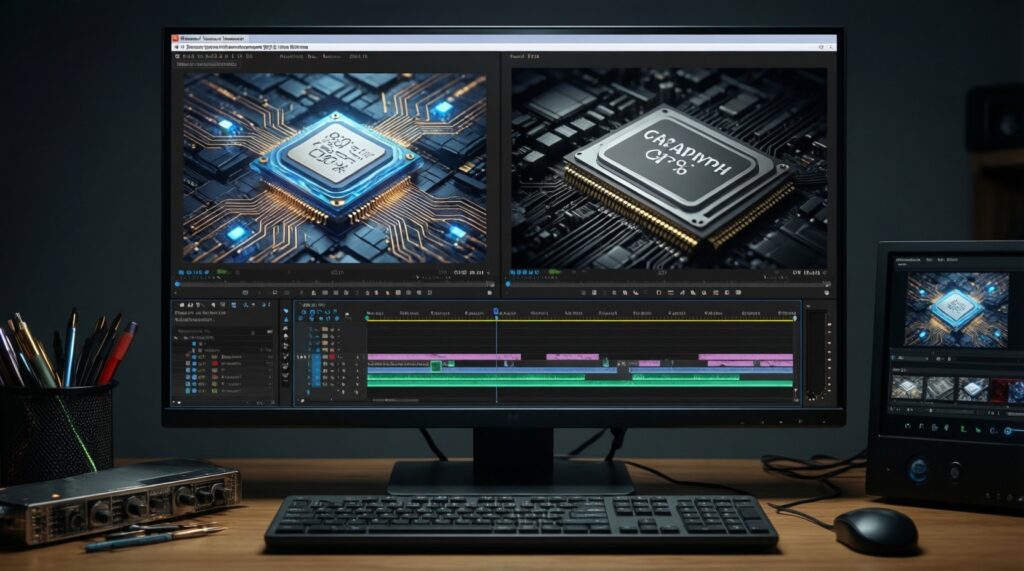
Both matter, but the balance depends on your editor, codec, and effects. Exports can scale with cores/threads, while many timelines and effects benefit heavily from GPU acceleration.
For "CPU สำหรับเขียนโปรแกรม รุ่นไหนดี", what is the most common bottleneck?
Often RAM capacity and SSD speed, not the CPU. After a reasonable core/thread count, a faster SSD and more RAM can reduce build and container friction more than a CPU tier jump.
For "CPU สำหรับทำงานออฟฟิศ รุ่นไหนดี", do I need more than 4-6 cores?
Usually no, unless you run many heavy browser tabs, large spreadsheets, or frequent multitasking with meetings. Invest in RAM and an SSD first for smoother daily use.
How should I do "เปรียบเทียบ CPU Intel กับ AMD รุ่นไหนดี" without getting lost?
Compare total platform cost (CPU + board + RAM), iGPU needs, and realistic upgrade options. Then confirm with benchmarks that match your workload rather than brand reputation.
Will an iGPU be enough if I plan to add a GPU later?
Yes for display and light workloads, but confirm your intended games and settings if you expect gaming before the GPU purchase. Also plan PSU connectors and case clearance now.
Why does my CPU perform below reviews?
Common causes are weaker cooling, motherboard power limits, different RAM configuration, or higher ambient temperature. Match the review's test conditions as closely as practical.